

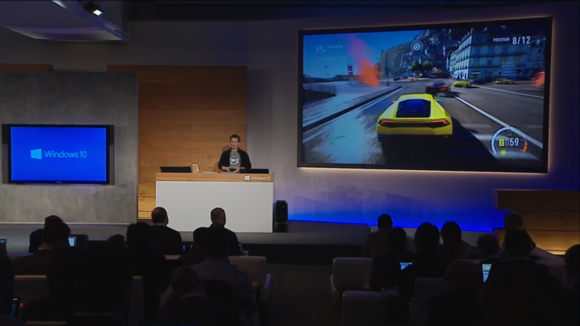
Windows 10 is already in the market and many of you might have already got this in your PCs and many are trying to get Windows 10. You have gone through the Windows 7 and Windows 8.1 and now it’s time for the Windows 10. Every time you have upgraded your Operating System, you have received far more rich and superior gaming experience. If you are a PC gaming freak than simply set aside your WII console or Play station and gear up for the new world of gaming in Windows 10. But, before take a drive into this journey there is something that you need to keep in mind.
Check your installation kit:
Alright, so you are ready to bumble with fascinating new Windows 10, but hold on don’t you think you are missing something? Windows 10 offers bright features then the traditional Windows 7 and 8.1. Therefore, what you all need to enjoy the thrill of gaming in the Windows 10 is to check your installation kit. Windows 10 installation comes with a host of drivers and plug ins. Check whether you have installed everything or might you have been missing something that could hamper your gaming experience in the Windows 10. Once you are done with full fledge installation then you are all set for a full fledge gaming experience.
Do you need defragmentation?
As soon as the launch of the Windows 10 most of the users started worrying about the defragmentation of their existing hard drives. There is indeed no risk with Windows 10, as it comes with host of malware security features, but defragmentation could be a good choice to keep your game quite safe and secure. If you already have a full hard disk, then you may use cloud space or check out an external hard disk for defragmentation. Being a gamer, your first choice would be to install the games on the SSD. If you consider the SSD (Solid State Drive) only for installing games, then it would provide you with a richer gaming experience.
Throw away junk:
This is one common problem with many computer users and gamers. There are so many things on your hard disk that is of no use. Most of the time people of are having huge bunch of software that they rarely use. Their PCs are filled with lots of malware and useless programs. Take the help of CC Cleaner and clean out the junk from your computer. You must also uninstall the unnecessary applications and programs to make space for games. It is not only about the space, but these programs also slow down your processor speed by consuming more power form the CPU and this will impact your gaming experience.
Get the user mod files: These are very critical for the Windows 10. You might be merging a lot of data and with the user modification files; you can easily unwind the data and package it in order to improve performance of your PC for gaming.

- Creating Lasting Memorials: Honoring Loved Ones with Flat Headstones - June 28, 2023
- The Advantages of Dedicated Server Hosting for Digital Marketing Agencies - May 16, 2023
- Artificial Intelligence: How computer science revolutionized competitive sports - January 5, 2023
- Bitten by a Dog? You May Be Able to Sue - August 1, 2021
- Brighten Up Your Living Room With These Useful Lighting Tips - August 1, 2021
- Animated Short Film Blush Executive Produced by John Lasseter Premiers at Tribeca Film Festival - July 28, 2021
- What You Need to do to Start an Ecommerce Business - July 27, 2021
- How to Start a Campfire: A Guide - June 28, 2021
- 5 Essential Tips to Get the Most Out of Your Online Music Lessons - November 24, 2020
- Strange But Interesting Habits You Learn While Travelling - September 4, 2020